Chat with us!
Discord: OpenGameArt
discord.gg/yDaQ4NcCux
Active Forum Topics - (view more)
- I'm looking for game assets for a new game.......... by arnoldbrowns1999
- Sharing My Music and Sound FX - Over 2500 Tracks by Eric Matyas
- Mix distribution by glitchart
- Endless Darkness [UNITY/C#][Rogue-Like][30%] by glitchart
- Derivative works of Free characters? by JumboSizedFish
- Pixel Artist - FOR HIRE by pixel
- Pixel Artist Looking for a Project by Koshechka-Ninja
- tools by blue_prawn

Recent Comments - (view more)
- Re: 16x16 RPG Items (DB32) by ARoachIFoundOnM...
- Re: Farm Music by glitchart
- Re: Farm Music by migfus20
- Re: Farm Music by hatmix
- Re: Farm Music by glitchart
- Re: Farm Music by hatmix
- Re: Farm Music by glitchart
- Re: handpainted brick texture pack by CubeFrag

Popular This Week - (view more)






Latest Art - (view more)




Latest Art by my Friends - (view more)
Featured Art - (view more)




Hey folks!
Just wanted to introduce everyone to the first OGA 2.0 feature: art collaboration!
You can now designate other artists to have edit access to your art. A the bottom of the left column of the art submission/editing form, you can enter a list of usernames of people who you'd like to be able to update your submission. If you already submitted some art and decide later that you want to collaborate with someone, don't worry -- you can add and remove collaborators at any time.
Please note that this feature is still very new, so if you run into any issues, let me know.
Peace out,
Bart
P.S. This week's Art Challenge is coincidentally about collaborating with other artists!
- bart's blog
- Log in or register to post comments

Don't worry about your medals. I'm currently working on making them work correctly, and any medals lost in the meantime will be restored.
Bart
Update: Medals should work now. If they don't, please let me know.
Also, we've got several new medals:
- "Popular", which you receive if people favorite your art.
- "Art Contributor", which you receive for your total number of art contributions.
- "Audio Contributor" has been split into Sound and Music categories.
- "Texture Contributor" for people who have contributed textures.
- "Document contributor" for people who have contributed documents.
- bart's blog
- Log in or register to post comments
I have zero 3d model-making skills but I do moderate content on OpenGameArt.org contributions and stalk Blendswap submissions, which allowed me to notice the following: Gradients are bad for previews. Just take a look:
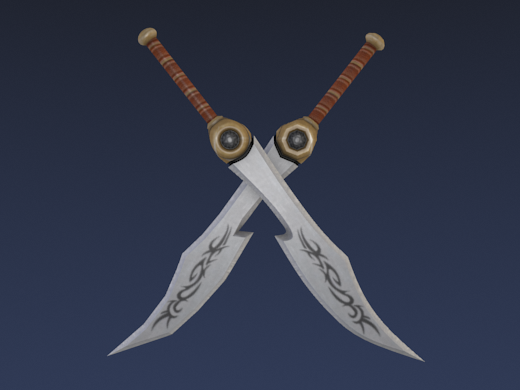
Above is a png (lossless, 173K) render with gradient ("blend sky" in Blender terms) background.
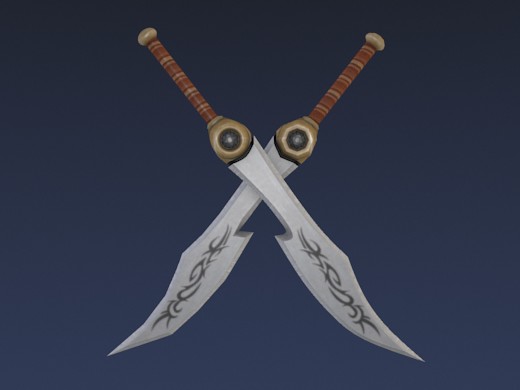
Above is a jpg (lossy, 18K) render with gradient/blend. Do you see the disturbing artifacts?
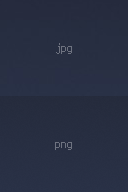
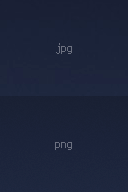
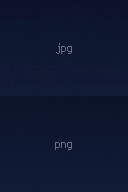
Above are animations between part of the two gradient background images at +0, +10 and +20 contrast to make it easier to spot the difference.
The lossy jpg version has artifacts.
These are ugly and disturbing which can lead to the viewer disliking the viewed image. They might be hard to see on some screens but in many cases they will be subtley noticed. Note that "subtle" is especially dangerous, since the viewer does not know the reason for the discomfort while viewing the render and is likely to interpret it as not liking the 3D model.
Using png files for previews is not a solution, as their file size is about ten times larger than jpg files.

By not using a gradient (Blend Sky in Blender) in the background, the artifacts can be avoided.
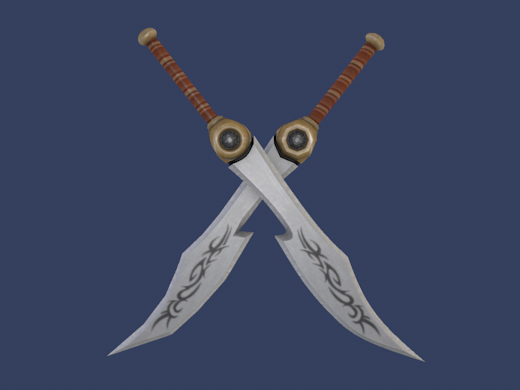
Above is a png (lossless, 156K) render without gradient/blend in the background.
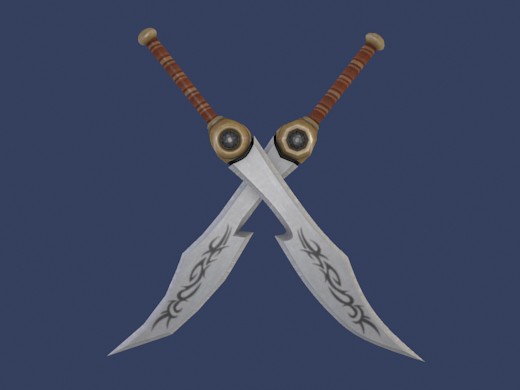
Above is a jpg (lossy, 16K) render without gradient/blend in the background.



Above are animations between part of the two no-gradient images at +0, +10 and +20 contrast to make it easier to spot the (lack of) difference.
Why does it help to not use a gradient? Because by reducing the complexity of the background, the amount of varying image data is reduced. This way the jpg compression algorithm has less image data to 'lose' while compressing the background of the image.
The image used in this post is a render of the "Tribal Long Sword" by Quandtum which you can use in your game under cc-by-sa, At time of writing, the model preview has a gradient in the background. This inspired me to write this hairsplitting, nitpicking post. :)
Did this post make you realize why you disliked some renders in the past? Or can't you see the artifacts at all? Do you happen to know of a gradient that does not create disturbing artifacts? Please let us know in the comments.
- qubodup's blog
- Log in or register to post comments

I'm sure a lot of people are wondering what all brought this on. Back when I originally built OGA, I was new to Drupal and didn't really know what I was doing, so I ended up making a lot of design mistakes, particularly in the structure of the site. What ended up happening was that OGA was essentially built on a spaghetti code, so changes often had far-reaching and unexpected consequences.
Furthermore, from a theme standpoint, I found the original theme annoyingly limiting -- for instance, the sidebar on the right was too narrow, and wasn't very good for conveying information. Also, the site title was way bigger than it needed to be, and wasted a lot of space. Plus, the menus were starting to get out of control.
At any rate, this move represents the jump from Drupal 6 to Drupal 7. I've been spending the last several months writing about 2,000 lines of migration code, which reorganized the site into something a bit easier for me to work with and expand on under the hood. While OGA 2.0 isn't anywhere near done yet, this at least opens up the possibility of building it easily, so it should speed up the development process a lot (plus, I'll be able to add things incrementally now instead of dumping all the features on everyone all at once).
For now, I've added a couple of new goodies:
- User profile pictures
- Forum searching
- Gold medals now replace silver medals, which replace bronze medals (although you can view all of your medals on your profile page)
The rest of the OGA 2 features (including art collections, which is the big one) will appear as they're finished.
- bart's blog
- Log in or register to post comments
What you are looking at right now is OpenGameArt.org version 1.5 (or most of it, anyway -- there are a couple things I'll be adding over the weekend). The site should (hopefully) be relatively usable and intuitive at this point, and you should be able to do everything you could do back in version 1.0. If you run into any problems with anything (posting on the forums, commenting, submitting art, etc), leave a comment here, or drop in on our IRC channel:
#opengameart on irc.freenode.net (or chat with us from your browser)
- bart's blog
- Log in or register to post comments
Pages